
To improve performance and reduce sync times, we've updated how incremental synchronization works. Previously, during each sync, all tasks/responses from all available task definitions/forms were downloaded. Customers with large datasets could have thousands of tasks and responses, which could significantly slow down the process.
We now assume that most tasks are primarily needed for historical or statistical purposes. As a result, incremental sync will now download only the latest 500 tasks and responses per task definition/form for everyday work. If additional data is needed, users can manually load more tasks/responses in chunks or choose the "Reload All" option in the app settings to retrieve the full dataset.
The new sync process is in General Availability from December 2nd, 2025.
Overview
During the (incremental) sync, the latest responses/tasks are downloaded.
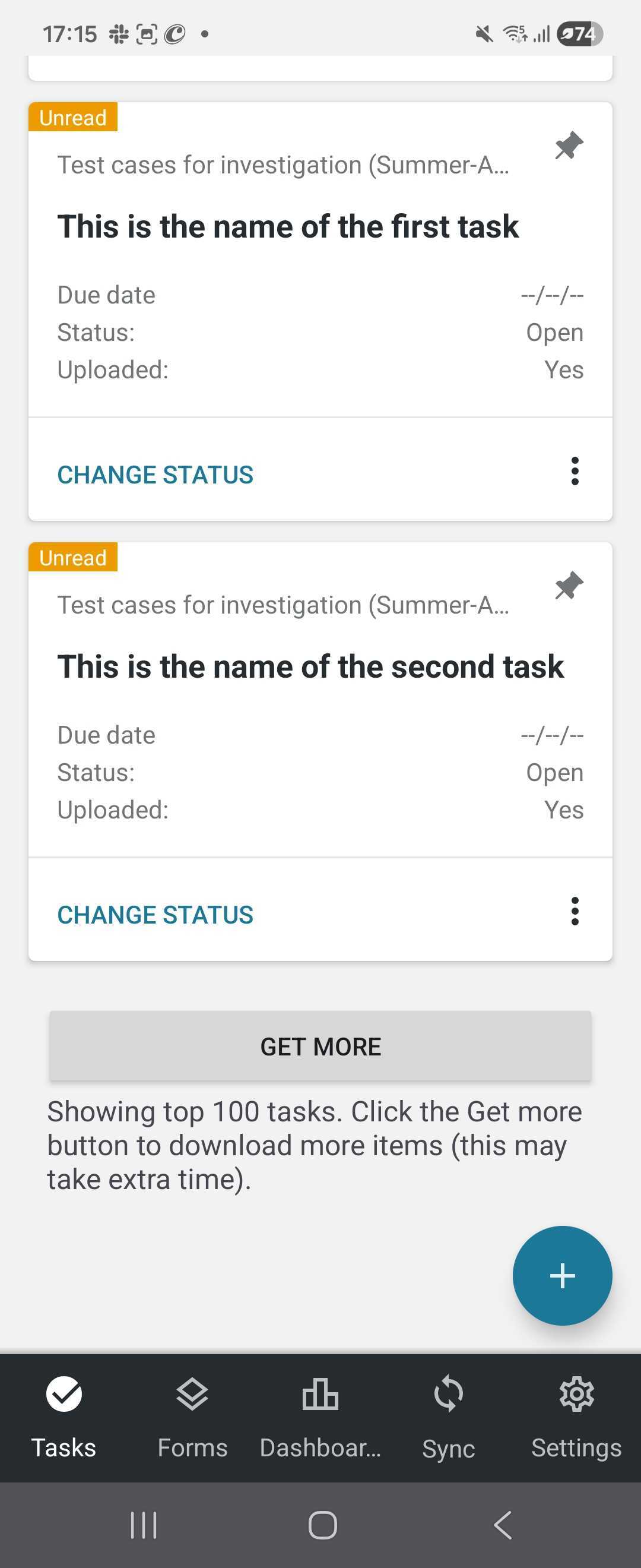
When scrolling down to the end of the list, you see the Get more button, which allows you to download more items.
When there is no button, you have no more items to download.
FAQ
Will all customers notice a change in sync behavior?
Not necessarily. Customers with a smaller number of tasks and responses may not notice any difference, as their data already fits within the new 500-items limit.
What happens if I previously downloaded multiple chunks of tasks?
With the new sync logic, each new synchronization will load only the latest 500 tasks per task definition/form, regardless of how many chunks were downloaded earlier. If you need access to older tasks, you can manually load additional chunks or use the "Reload All" option to retrieve the full dataset.