
Overview
Once an Admin needs to share some news with their users of the iOS and Android mobile apps, he can send the push notification message to selected contacts.
.png?cb=6e07f29b25a7a18a3392639efb0e9ef6)
When the user taps on the push message, the app will open.
Permission to accept push notifications should be granted on the mobile device.
How does it work?
.png?cb=747e484855376f2d0ec8e334fb7d8808)
-
Go to contacts
-
Select the required contacts
-
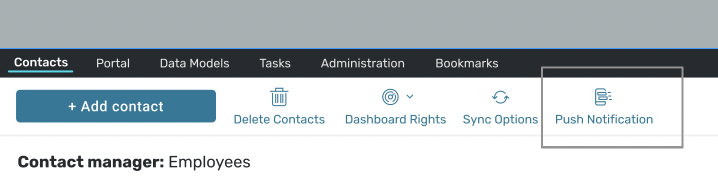
Click to ‘Push Notification’
-
Create title and text
-
Click to ‘Send Now’.
There are limitations in the number of symbols available for the title (30) and the push text (40).