
Admins can define a custom name for RBR (Report by Respondent) PDF exports. Instead of a generic system-generated title, each exported file can have a meaningful, unique name that helps end users identify and distinguish their documents.
Overview
By default, RBR PDF files are exported with a title based on the survey and response IDs, which is not descriptive and looks the same for all responses of the same form. This makes it difficult for users to identify the correct file when managing multiple downloads.
With this feature, admins can define a custom export name using a formula – including piping from response data – so that each exported PDF has a unique, recognizable title.
Setting the RBR export name
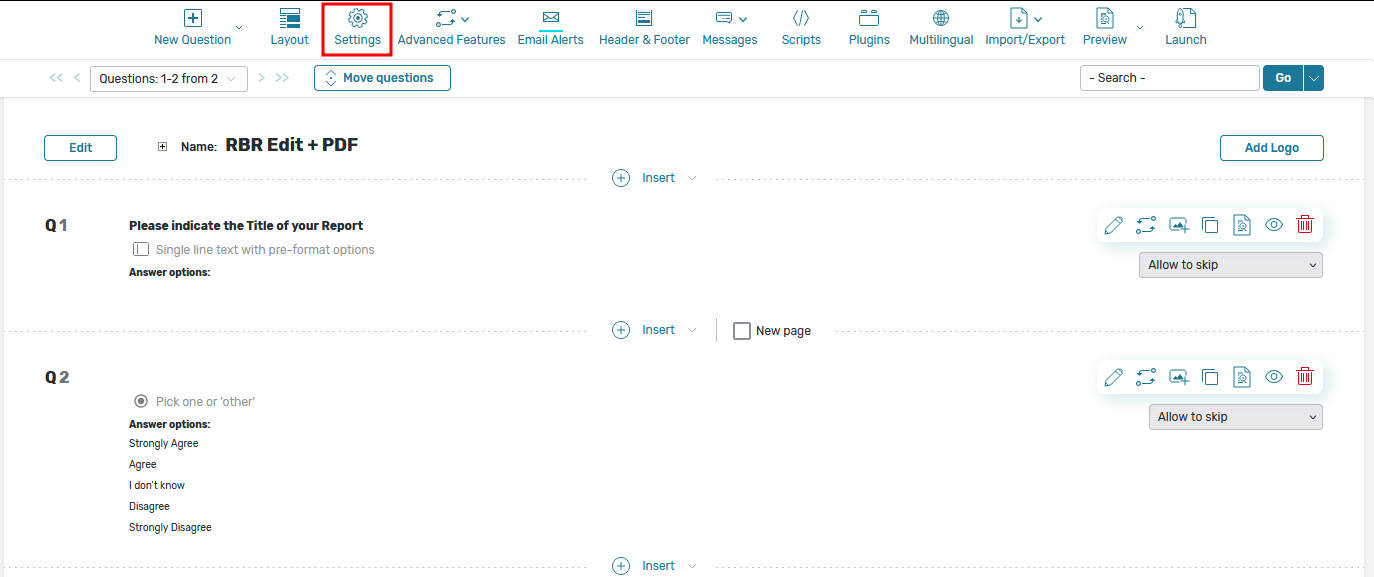
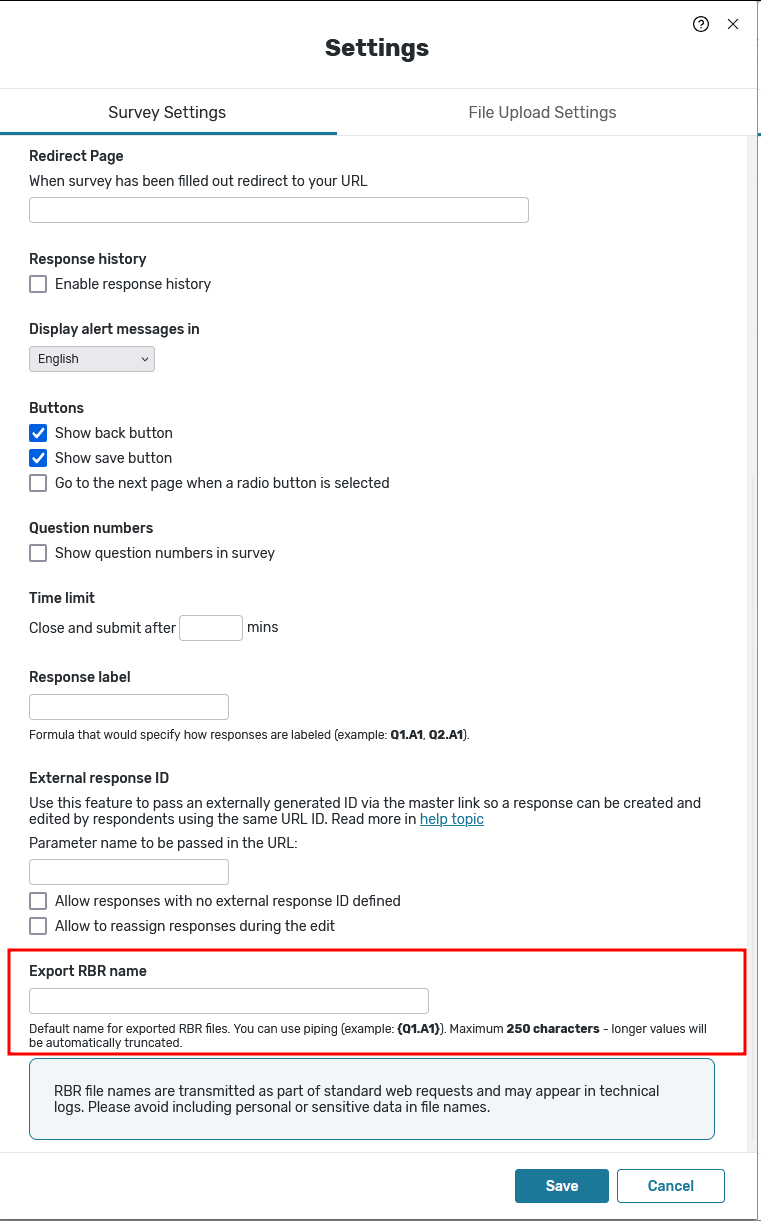
The Export RBR name field is located in the Form Settings panel of the Form Editor page. To access it:
-
Open your form Editor page
-
Click Settings in the top toolbar
-
In the Form Settings tab, scroll down to the Export RBR name field (located below External response ID)
-
Enter a custom name or formula in the field
-
Save your changes
The default value is rbr_obj_{SID}
Using piping and date tags in the export name
The export name supports two types of dynamic values:
-
Use {Qx.Ay} to include the respondent's answer to a question
-
Date tags – use any of the following: [RespondentID], [SubmitDate], [LastUpdateDate], [CurrentDate]. These are resolved at the time of export.
Tags and piping can be combined in a single formula, for example: {Q1.A1}_[SubmitDate].


This is particularly useful when the form collects identifying information such as a name, ID, or location – the exported PDF will automatically reflect that data in its title.
The resolved name is automatically sanitized before use as a filename:
-
Spaces are replaced with underscores (e.g. "my report" becomes "my_report.pdf")
-
Illegal characters are stripped (e.g. "report<test>" becomes "reporttest.pdf")
Limitations
-
The export name cannot exceed 250 characters. If the resolved value is longer, it will be automatically truncated.
-
The custom name applies to both online and offline RBR exports.
Privacy notice:
RBR file names are transmitted as part of standard web requests and may appear in technical logs. Please avoid including personal or sensitive data in file names
Where the custom name is applied
Once configured, the custom export name is used when generating RBR PDFs from:
-
Admin UI
-
Online portal and mobile apps
-
Public RBR link
-
Email alerts and other places where the [RPDF] tag is used
-
Using JS API for custom implementations
Frequently asked questions
What happens if I leave the export name field empty?
The system uses the default value: rbr_obj_{SID}, which includes the survey ID.
Can I use the same name for all responses?
Yes – if you enter a plain text name without any piping, all exported PDFs from that form will share the same name. To make each file unique, use piping to include response-specific data.
What if the piped value is too long?
The name will be automatically truncated to 250 characters. The file will still be exported successfully.
Is this available on mobile?
Yes, the custom export name applies to RBR exports from both the online portal and mobile apps.